
How Corporate Tax Managers Should Choose Tax Notice Management Software
19 November
Corporate tax managers should choose tax notice management software by testing it against their real notice flow: how notices arrive, who owns them, how deadlines are enforced, how responses are documented, and what leadership needs to see. The strongest platforms automate intake and classification, route work by entity and jurisdiction, escalate before deadlines, keep a full audit trail, and report volume, penalties, and resolution status in real time.
The mistake most teams make is evaluating a demo rather than their own process. Start with your notices, your entities, and your bottlenecks, then measure each vendor against them.
Step 1: Map Your Current Notice Flow
Before talking to vendors, document:
- Annual notice volume by agency, tax type, and entity
- Every channel notices arrive through, including mail, registered agents, email, agency portals, and payroll providers
- Who touches a notice from receipt to closure, and where handoffs stall
- How deadlines are tracked today and how often they are missed
- Annual penalties and interest paid on notice-related issues
- Outside advisor spend on routine notice work
This baseline becomes your business case and your evaluation script.
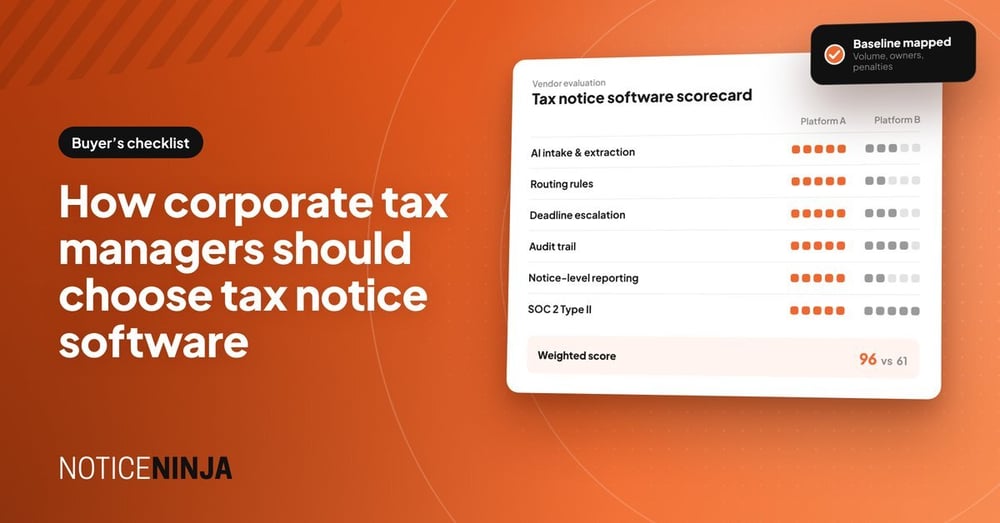
Step 2: Score Vendors on Eight Capabilities
-
Automated intake. Does AI read and classify notices, or does someone still key in agency, entity, period, amount, and due date? Ask about accuracy on low-quality scans and state-specific formats.
-
Routing rules. Can notices be assigned automatically by entity, jurisdiction, tax type, or notice type?
-
Deadline control. Are response dates calculated at intake, with alerts and escalations before they lapse?
-
Triage. Can informational notices be classified as no-action so they are documented without clogging the work queue or distorting reporting?
-
Audit trail. Is every action logged with user and time stamp, alongside the documents?
-
Response support. Are response letter templates and standard workflows built in?
-
Reporting. Can leadership see open notices, aging, penalties, abatements, and resolution time by entity without building a spreadsheet?
-
Security. Confirm SOC 2 Type II, role-based access, SSO, data residency, and how AI processing is governed.
Step 3: Check Scope Beyond Notices
Notices connect to other tax administration work. Ask whether the platform also covers power of attorney tracking, entity and account management, refund and offset tracking, and mail distribution. One system for related work removes duplicate trackers.
Step 4: Pressure-Test Implementation
- How long until notices are flowing in production?
- Who validates extracted data during onboarding?
- Can historical notices be loaded for trend analysis?
- What integrations exist with ERP, payroll, document storage, and email?
Step 5: Build the Business Case
Quantify hours saved on intake and follow-up, penalties avoided through on-time responses, advisor spend brought in house, and refunds recovered. Tie each to the baseline from Step 1.
Common Mistakes to Avoid
-
Assuming tax engines handle notices. Calculation and filing platforms are built to produce returns. Correspondence that follows filing usually lands back with your team.
-
Buying generic workflow tools. General task software can assign work but typically lacks notice-aware data capture, agency deadlines, and tax-specific reporting.
-
Ignoring data quality. Reporting is only as reliable as intake. Ask how extracted data is validated.
Where NOTICENINJA Fits
NOTICENINJA is purpose-built for tax notice compliance and workflow automation. Kata™, its agentic AI ingestion engine on AWS Bedrock, replaces OCR to read and classify notices at intake. The platform covers routing, deadline escalation, no-action triage, response letters, POA and entity management, refund tracking, and real-time reporting, and it is SOC 2 Type II certified. It has processed more than 9 million notices across 500,000+ businesses.
Frequently Asked Questions
What is tax notice management software?
Software that captures, classifies, assigns, tracks, and documents tax notices from receipt through resolution, with reporting on volume, deadlines, penalties, and status.
When does a corporate tax team need dedicated software?
Typically when notices span many entities or jurisdictions, multiple people handle them, deadlines are tracked manually, or leadership cannot get a reliable status view.
How long does implementation take?
It depends on volume, entities, and integrations. Ask each vendor for a timeline to first notices in production and who performs data validation.
RELATED POSTS